Learning platform
All Digital Norway courses are available on a dedicated learning platform. To access a course, you need to create a user account on the platform.
About the platform
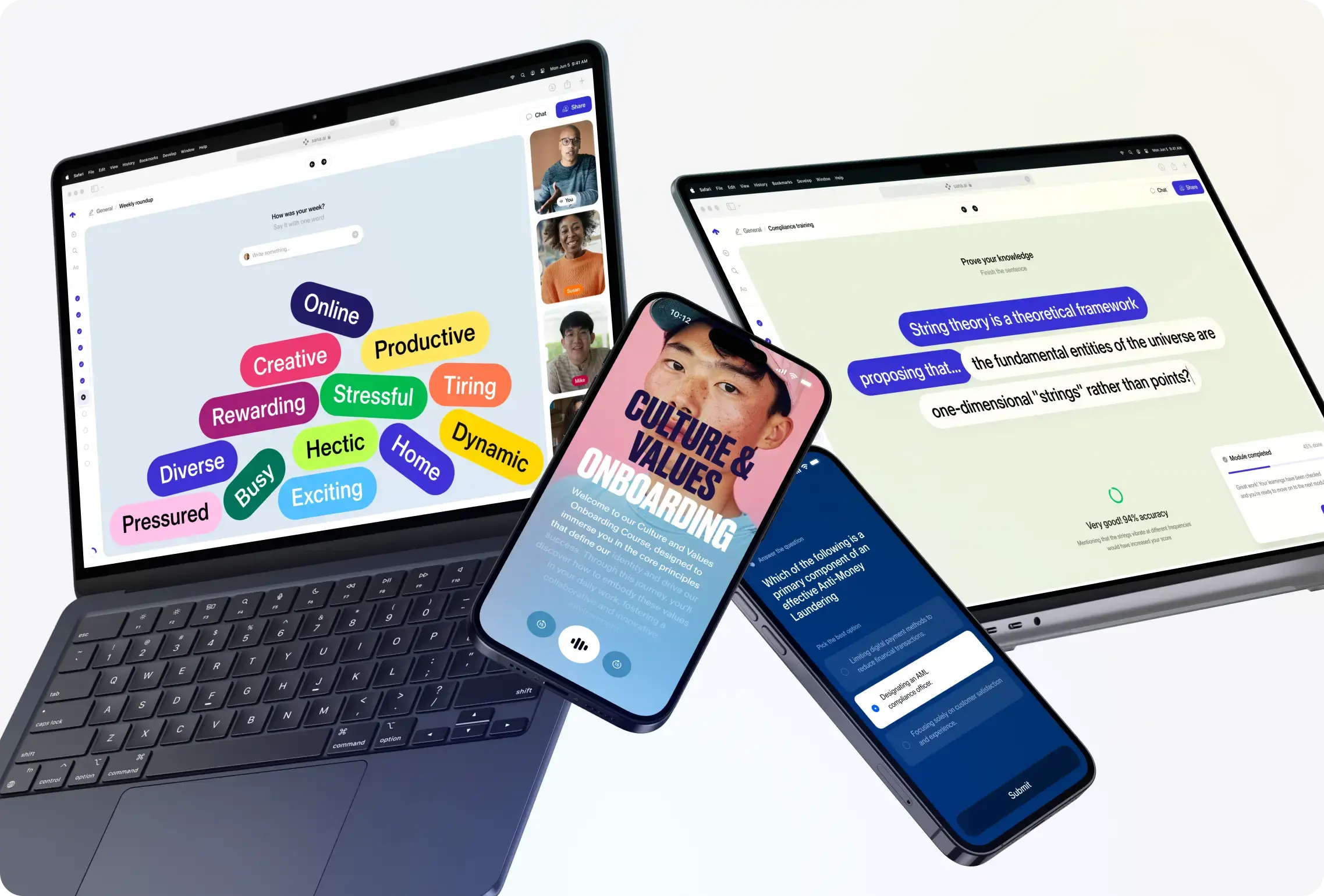
Digital Norway’s learning platform has an interactive user interface that provides a unique learning experience with a range of smart features. For example, you can choose whether to read or listen to the courses, interact with AI assistants for guidance, and download course certificates.
You will also find a general AI assistant at the top of your home page. You can ask it subject-related questions or request course and learning path recommendations based on your interests and needs.
Frequently Asked Questions
Questions about forgotten username and/or password:
I have forgotten my password
Click the “Reset password” button when you log in. You will then receive an email with instructions for setting a new password.
Please note: The email may end up in your junk or spam folder. If you cannot find it, please send an email to: post@digitalnorway.com.
I have forgotten my username
Try searching for both your private email address and your work email address if you are unsure which one you used to create your account.
When you try to log in, you will also have the option to reset your password if you have forgotten it.
Questions about events:
Can I attend in person or online?
For tech breakfasts, we offer both in-person and online attendance.
For other events, you will find information about the format on the relevant event page.
Will the recording be shared, and where can I find it?
This varies depending on the type of event.
For our tech breakfasts, we always try to share the recording afterwards. You can also find previous recordings of our tech breakfasts on our events page.
Questions about login and registration:
Why do I need to create a user account?
To access our course catalogue, you need to create a user account with Digital Norway. You only need to do this the first time you take a course.
Your user account makes it easier to track your progress across different courses and find downloadable course certificates.
How do I create a user account and password?
On each course page, you will find a registration box where you can create a user account to get access.
Go to the course catalogue here
After you have registered, you will receive an activation email where you can set your password.
Please note: The email may end up in your junk or spam folder. If you cannot find it, please send an email to: post@digitalnorway.com.
Does it cost anything to register as a user?
No. Creating a user account to access the courses in our course catalogue is free.
Why can’t I find my company when registering?
We retrieve company information from the Brønnøysund Register Centre. Please search for the name your company is registered under there.
Are all the courses free?
All digital courses on the learning platform are free.
In-person courses, workshops and training programmes will usually have a cost. You can find the price on the course page.
I have been logged out. How do I log back in?
At the top of our website, you will find a button labelled “Go to learning platform”.
Click the button and log in using the same username and password you used when you registered.
You can also request a new password there if needed.
Why do I need to log in again? Why doesn’t the system remember me?
If you use different browsers, such as Chrome or Edge, your browsing history may not always be saved, and websites you visit may be asked not to track you. This is why you may need to log in again each time.
Questions about courses:
How do I get a course certificate?
After you have completed a course, you will receive a course certificate. It will only appear once you have completed all the modules in the course.
The course certificate can be downloaded or shared on LinkedIn. All your course certificates will be available under “My Library” in our learning platform.
What types of courses do you offer?
Our fully digital courses are designed to help you work and lead in new ways in a digital working life. Our competence areas include artificial intelligence, cybersecurity and emerging technologies.
We work to strengthen digital competence, with a focus on both knowledge and practical skills.
Artificial intelligence is also built into our courses, giving you a more engaging and interactive learning experience. You can also choose to listen to the courses instead of reading them.
Is it best to use a mobile phone or a computer to take the courses?
You can use both a computer and a mobile phone to take courses or programmes.
How do I complete a digital course?
You navigate through the courses using the arrows at the bottom right of the page. Sometimes, you need to write something or answer questions in the course before you can move on.
You can also navigate between course sections using the menu on the left. However, we recommend taking the course sections in chronological order.
You can also choose to listen to the courses. To do this, click the headphone icon next to the text sections.
How do you use artificial intelligence (AI) in your learning offering?
When you take courses with us, you can use an AI assistant as a learning partner along the way. The assistant is connected to the course content and can help explain, expand on or clarify questions you may have about the topic.
AI is also integrated into the learning platform itself. When you are logged in, you will find an AI assistant at the top of your course library. You can ask it subject-related questions or get recommendations for relevant courses based on your needs and goals.
Who creates your courses?
Our courses are developed in collaboration with some of Norway’s leading experts and professional communities.
We work closely with academia and industry to ensure that the content is as relevant and professionally up to date as possible. Examples of partners include Equinor, DNB, the University of Oslo and Avinor.
This allows us to offer a strong combination of theory and practice that provides value for our users.
Who is the LMS provider for your learning platform?
Our provider is the Swedish company Sana. They were included in Forbes’ 2024 list of the 50 most innovative AI companies.